
Position sizing
Understand how the app computes the quantity to trade from your risk and the stop-loss.
Position sizing
Magic Position automatically computes the quantity to trade so that
each position respects the risk policy of the account. This guide
explains the inputs of the calculation and where they are configured.
The three inputs
Three values feed the calculation:
- The amount to risk — set by the risk policy of the account.
Either a Fixed amount or a Percentage of the balance (with
a recalculation frequency: instantly, daily, weekly, monthly, or
manual). - The entry price — entered when creating a position (market or
limit order). - The stop-loss price — the level at which the position is
automatically closed to limit the loss.
From these three values, the app derives the distance to the
stop-loss (entry − stop for a buy, or stop − entry for a sell), then
the quantity to trade so that the loss at stop equals the risk
amount.
Configure the risk policy
Everything starts on Account risk.
Pick a Calculation mode (Amount or Percentage), a Fixed amount
or a Percentage of the balance to risk, and optionally the
Recalculation frequency. A preview reads:
With a balance of X, the amount to risk will be Y.
Two options refine the calculation:
- Include fees in the calculation — reduces the quantity so that
fees do not exceed the risk target. - Include spread in the calculation — accounts for the bid/ask
difference at entry.
Verify before trading
When creating a position from Add a position,
a Position confirmation dialog summarises:
- Position size (with an Adjusted for margin badge if available
margin constrained the theoretical size); - effective Risk;
- Required margin;
- Estimated fees;
- Risk/Reward between the stop-loss and the take-profit.
Submit with Confirm position, or adjust the entry, stop or
take-profit and try again.
Simulate without placing an order
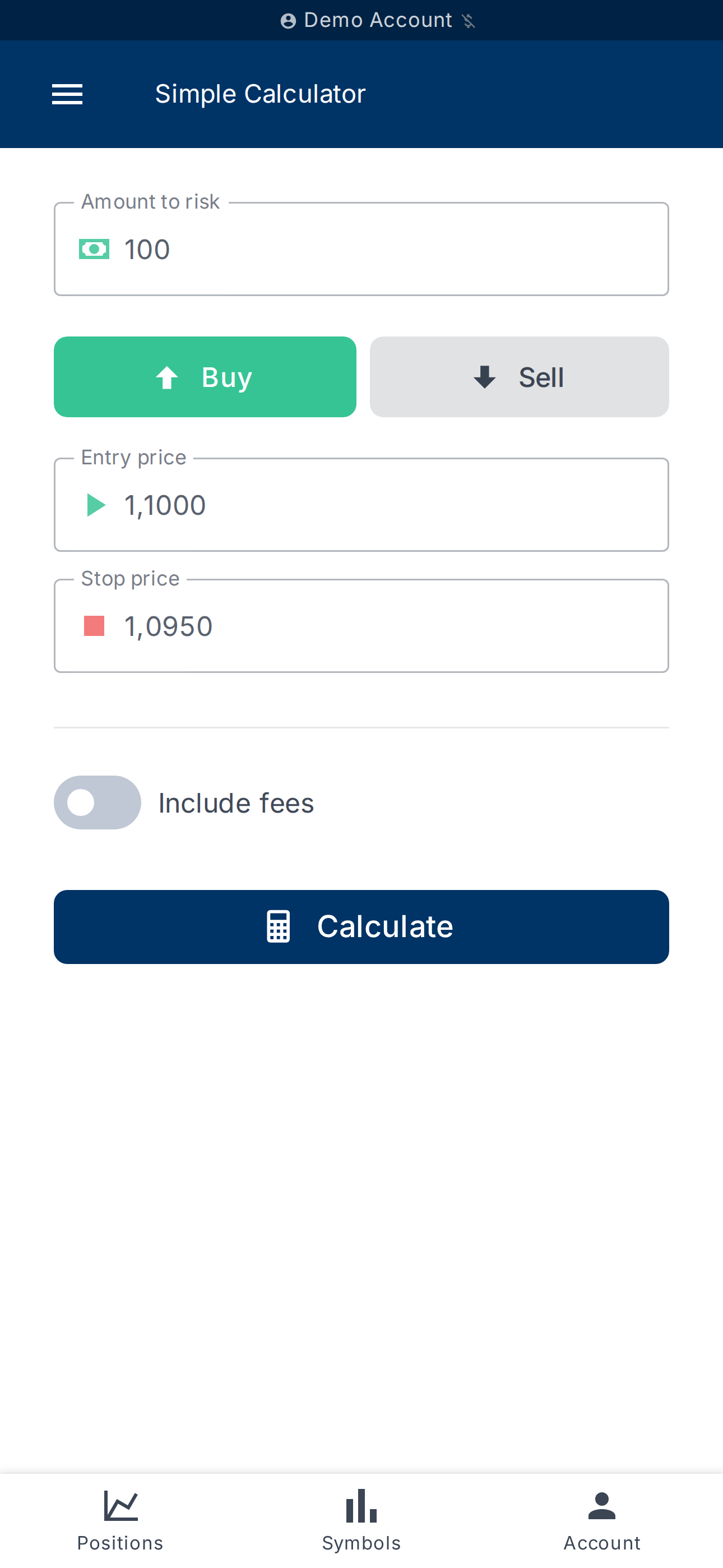
To test a scenario quickly (without touching a real account), use
Simple Calculator.
You enter the Trade direction, the Entry price, the
Stop price, the Amount to risk, and optionally the fees. The
result shows the Quantity to trade, the Position value, the
Net risk amount (after fees) and the Stop-loss distance.
What's next?
- Set up rules that automate exits — see
Create a risk rule. - Tune partial-close levels — see
Configure stop-loss and take-profit.