
Configure stop-loss and take-profit
Set global exit levels or change the stops on an open position.
Configure stop-loss and take-profit
Position exit is handled at two levels: the default strategy at
the account level (partial-close levels), and the individual stops
on each open position.
Account exit strategy
The exit strategy of an account defines up to 5 automatic
partial-close levels. Each level specifies the percentage of the
position to close once the level is reached.
Open Exit strategy.
The page lists the configured levels (up to 5). Add one by entering a
Close percentage between 1 and 99, then click Add. If the
limit is reached, the app shows Maximum of 5 levels reached.
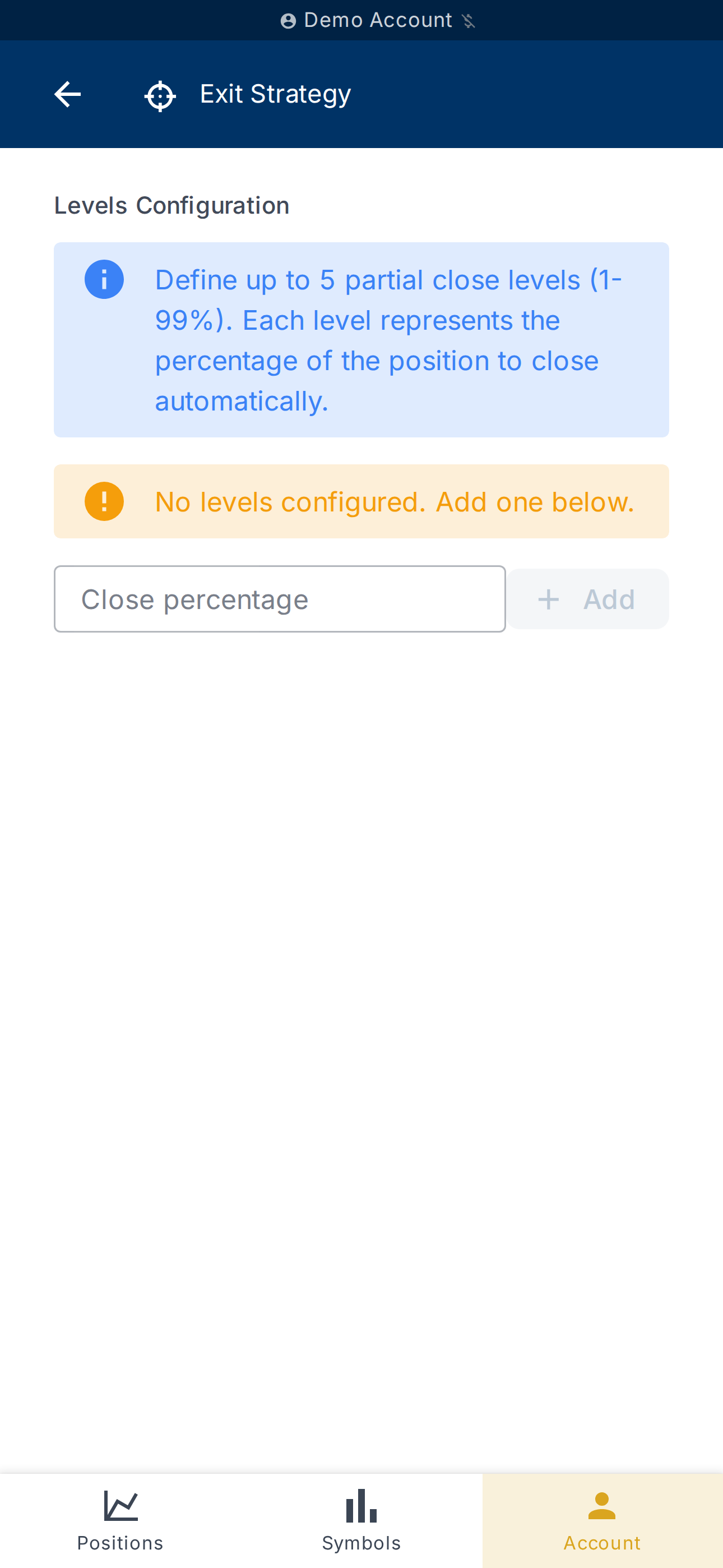
Levels are saved automatically. Invalid values (outside 1–99,
duplicates) are flagged before saving.
For more advanced behaviours (move the stop-loss to break-even, lock
in a profit level, exit on pattern…), use a dedicated risk rule
instead. See Create a risk rule.
Stops on an open position
To change the stop-loss or take-profit of an already open position,
open its detail from Positions
then use the dedicated stops button.
Magic Position also checks consistency between entry, stop and
take-profit when creating a position: for a buy, the stop must be
below entry and the take-profit above; the inverse for a sell. An
inconsistent input is flagged before the order is sent.
What's next?
- Define a risk policy that drives the position size — see
Account risk. - Automate stop moves with a rule (break-even, lock-in profit) — see
Create a risk rule.